This
product
is very
easy to
use and
can
import
and
export
all of
the
standard
translators:
DXF/DWG,
IGES,
STEP,
Parasolid,
ACIS,
STL,
etc.
It will
also
import
and/or
export
the
following
native
formats.
Import
Pro/E,
UG,
Solidworks,
Autodesk
Inventor.
Import/Export
Catia 4
.model
and
Catia 5
.CatPart
and .CatProduct.
Most CAD
translation
programs
are just
that,
translators.
You can
bring
the data
in but
only
translate
them out
with
what may
be
corrupt
data,
and at a
much
higher
cost
with
much
less
flexibility.
INOVATE
TRANS
offers
so much
more.
Think of
it as a
translator
with an
edit
button.
It has
what I
have
coined a
UDE
(Unified
Design
Environment).
The
problem
with the
Pro/e
paradigm
which
many
programs
like
Catia 5
have
adopted
is the
they
have
separate
part and
assembly
files.
When you
import a
file you
populate
a hard
drive
with all
the
separate
parts
and
assembly
files
and then
have to
work in
the top
assembly
this
creates
PDM
situation.
In
INOVOATE
with
TRANS
you
bring
all the
parts
into one
easy to
use file
(You do
have the
option
for
external
files).
You can
easily
suppress
any part
or
assembly
to work
with or
to
export
to a new
file
especially
in the
case of
Catia 4
to match
its file
size
limitations.
Here is
a
example
of its
capabilities.
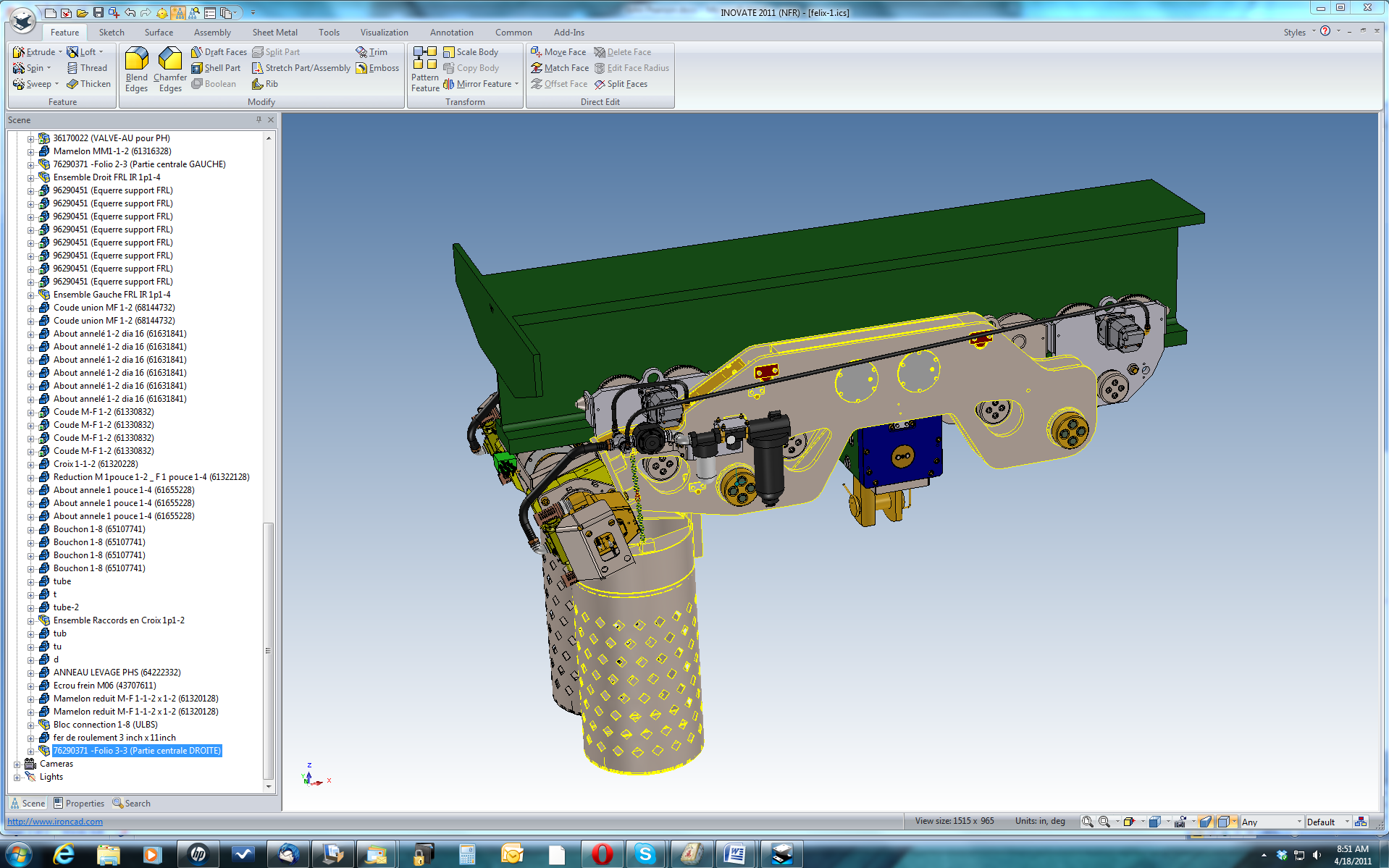
This is
a 700+
part
assembly
imported
from a
Parasolid
file. As
you can
see
INOVATE
puts the
parts in
their
defined
assemblies
and even
links
some of
the
identical
parts
like
fasteners.
This
image
shows
the
complete
assembly.
It
imports
in
minutes
and
rotates
and
views
incredibly
fast for
such a
large
assembly.
Notice I
have
selected
a
sub-assembly,
it shows
highlighted
in the
scene
and also
in the
tree
(bottom
left).
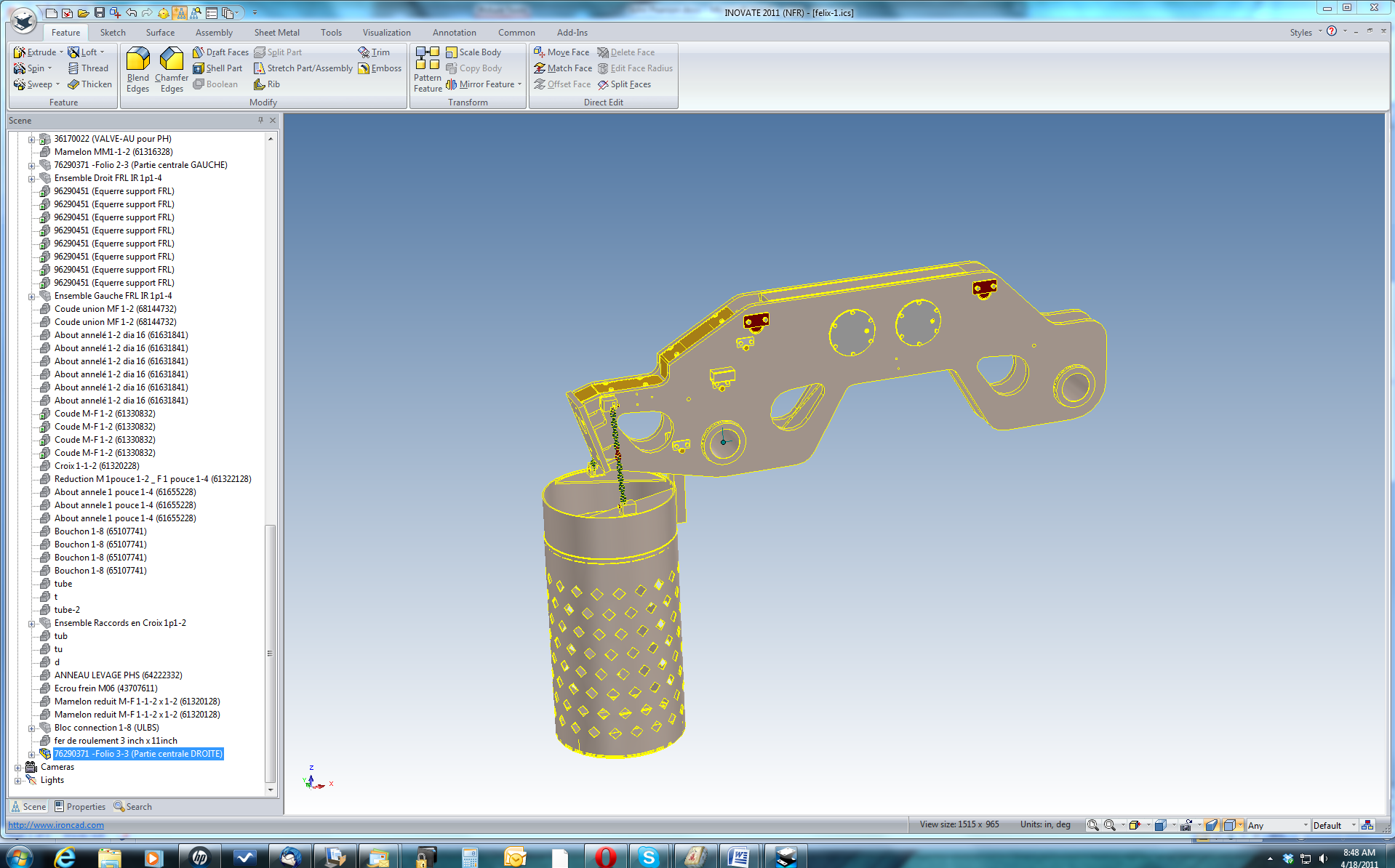
Here
is the
selected
sub-assembly.
You can
click
through
the
different
parts
and
features
until
you have
the
selected
item and
with one
right
button
click
you have
the data
to view,
export
or work
with.
You can
verify
that you
are not
sending
out any
extraneous
information.
You have
the
ability
to work
with the
parts
and
assemblies
with
both
history
based
and
explicit
capabilities
to
correct
any
corruption
before
sending
it out
to any
other
package.